Digital Note-Taking Alternatives: Boosting Productivity


Over half of American professionals now rely on digital note-taking, reflecting a dramatic shift away from traditional paper methods. With work and study environments becoming increasingly fast-paced, finding an efficient way to capture ideas and manage information has never been more important. As options multiply, discovering the right digital alternative can change how you learn, collaborate, and stay organized every day.
Table of Contents
- What Are Digital Note-Taking Alternatives?
- Types of Digital Note-Taking Solutions Today
- Key Features and Functionality Compared
- Real-World Applications for Busy Professionals
- Risks, Costs, and Common Mistakes
Key Takeaways
| Point | Details |
|---|---|
| Diverse Options | Digital note-taking solutions range from text-based applications to multimedia platforms, catering to various user needs and preferences. |
| Integration Features | Modern tools offer real-time collaboration and cross-platform accessibility, enhancing productivity for professionals and students alike. |
| Cognitive and Data Risks | Users must navigate potential risks such as data security issues, cognitive overload, and costs associated with subscriptions and hardware. |
| Proactive Selection | It’s crucial to trial multiple tools to find the best fit for your workflow, focusing on those that integrate seamlessly with existing systems. |
What Are Digital Note-Taking Alternatives?
Digital note-taking has transformed how professionals and students capture, organize, and retain information. With technology evolving rapidly, multiple alternatives now exist beyond traditional pen and paper methods. These digital solutions offer unprecedented flexibility, searchability, and collaboration features that dramatically enhance productivity and learning potential.
One compelling example is Logseq, a free and open-source personal knowledge base that supports multiple platforms including Windows, macOS, Linux, Android, and iOS. Unlike traditional note-taking methods, Logseq enables semantic connections between notes, tasks, and documents. Users can seamlessly link related information, create to-do lists, develop flashcards, and markup PDFs - all within a single integrated environment.
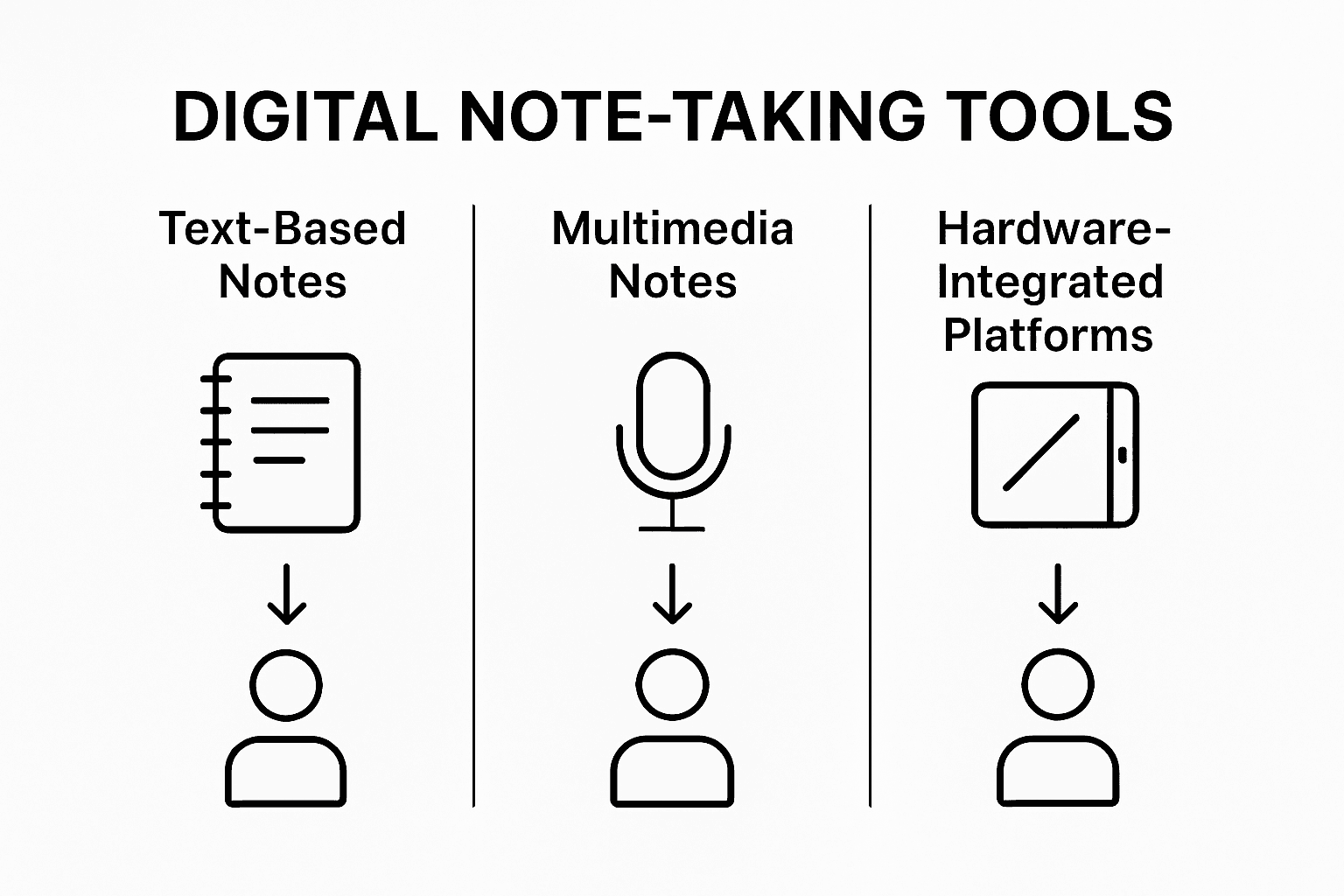
Digital note-taking alternatives typically fall into several core categories: text-based note applications, multimedia note platforms, mind-mapping tools, and collaborative workspaces. Some focus on handwritten input, while others prioritize typed notes, audio recordings, or visual organization. For instance, Notability offers unique features that allow users to combine handwritten and typed notes with sketches, images, and audio recordings - making it particularly attractive for students and professionals who need rich, multifaceted documentation.
Modern digital note-taking tools go far beyond simple text capture. They now integrate advanced features like real-time collaboration, cloud synchronization, AI-powered search, and cross-platform accessibility. These innovations mean professionals can access, edit, and share their notes from virtually anywhere, transforming how knowledge is captured and utilized.
Here’s how leading digital note-taking tools differ in unique strengths:
| Tool | Platform Focus | Distinctive Strength | Ideal User Profile |
|---|---|---|---|
| Logseq | Cross-platform, local-first software | Semantic links and structured tasks | Knowledge workers and researchers |
| Notability | iOS/macOS | Handwriting & audio combos | Students seeking rich annotation |
| Zettlr | Markdown-based, desktop | Internal linking, Zettelkasten-ready | Academics and professional writers |
| Boogie Board | Dedicated hardware device | True handwriting with LCD tech | Professionals preferring tactile input |
| Google Keep | Web, Android, iOS | Fast sync and OCR for images | Busy professionals needing quick access |
Pro Tip: Start with a versatile digital note-taking tool that supports multiple input methods and offers robust search capabilities to maximize your productivity and information retention.
Types of Digital Note-Taking Solutions Today
Digital note-taking has evolved dramatically, offering professionals and students a diverse array of solutions tailored to specific workflow needs. From text-based applications to advanced multimedia platforms, these tools have transformed how we capture, organize, and interact with information. The landscape of digital note-taking encompasses multiple sophisticated approaches designed to enhance productivity and learning.

One fascinating category is markdown-based note applications, exemplified by tools like Zettlr, a free and open-source platform that works seamlessly with Markdown files. Such applications offer robust features for researchers and writers, including internal linking between notes and the ability to visualize connections through interactive graphs. These tools are particularly powerful for personal information management and implementing complex knowledge organization systems like the Zettelkasten method.
Another innovative segment includes digital writing devices that bridge traditional and technological note-taking experiences. For instance, Boogie Board represents a unique line of paperless note-taking tools utilizing LCD technology. These devices allow users to capture handwritten notes using styluses or fingers, with some models offering digital conversion capabilities through smartphone apps. This approach provides a tactile writing experience while maintaining the convenience of digital storage and sharing.
Digital note-taking solutions today can be broadly categorized into several key types:
- Text-based applications
- Markdown and wiki-style platforms
- Multimedia note systems
- Handwriting recognition tools
- Collaborative workspace solutions
- Mind-mapping and visual organization platforms
Pro Tip: Experiment with multiple digital note-taking solutions to discover the platform that best matches your specific learning or productivity style, focusing on tools that offer flexibility and seamless cross-device synchronization.
Key Features and Functionality Compared
Digital note-taking solutions have become increasingly sophisticated, offering a remarkable range of features that transform how professionals and students capture, organize, and interact with information. The modern landscape of note-taking tools goes far beyond simple text recording, integrating advanced technologies that enhance productivity, collaboration, and knowledge management.
Some platforms push technological boundaries with specialized hardware and software integration. The reMarkable tablet exemplifies this trend, featuring a high-resolution E Ink display designed to replicate the paper writing experience, with specifications that include a 10.3-inch screen, 1872 × 1404 resolution, and powerful hardware optimized for reading and note-taking. These specialized devices target professionals and academics seeking a more refined digital writing experience.
In contrast, cloud-based applications offer versatility and accessibility across multiple platforms. Google Keep represents a comprehensive note-taking solution with diverse input methods, including text, lists, voice recordings, images, and drawings. Its Optical Character Recognition (OCR) technology enables users to extract text from images, while real-time syncing ensures seamless access across devices. Such tools demonstrate the evolving sophistication of digital note-taking solutions.
Key comparative features across digital note-taking platforms typically include:
- Input flexibility (text, handwriting, voice)
- Cross-platform synchronization
- Search and organization capabilities
- Collaboration tools
- Integration with other productivity software
- Security and privacy features
- Offline access
- Customization options
Pro Tip: Prioritize note-taking solutions that offer maximum input flexibility and seamless cross-device synchronization to ensure your information is always accessible and adaptable to your changing workflow.
Key business impacts of digital note-taking features:
| Feature | Business Impact | Productivity Benefit |
|---|---|---|
| Real-time collaboration | Enables instant teamwork on documents | Fewer meeting delays, faster updates |
| AI-powered search | Rapidly finds critical info in seconds | Saves time on project research |
| Cross-device sync | Ensures notes always up-to-date everywhere | Seamless remote work and flexibility |
| Multimedia input support | Captures complex ideas visually and verbally | Supports diverse project requirements |
| Secure storage | Protects sensitive company knowledge | Peace of mind for regulated industries |
Real-World Applications for Busy Professionals
Professionals across industries are constantly seeking innovative ways to optimize their information management and productivity. Digital note-taking solutions have emerged as critical tools for capturing, organizing, and leveraging knowledge efficiently in high-performance work environments.
Cutting-edge technologies are transforming how professionals capture and process information. NoTeeline represents a groundbreaking interactive system that supports real-time, personalized note-taking by utilizing Large Language Model technology. This advanced approach enables users to expand micronotes into comprehensive documents with reduced mental effort, allowing professionals to capture essential information more quickly and comprehensively than traditional note-taking methods.
Emerging mixed-reality technologies like MaRginalia demonstrate remarkable potential for professional learning and information capture. By integrating stylus tablets and mixed-reality headsets, these systems enable professionals to capture lecture slides, audio transcripts, and key information while maintaining full engagement with the source material. Such technologies are particularly valuable for knowledge workers who must rapidly assimilate complex information during conferences, training sessions, and professional development events.
Key real-world applications for digital note-taking across professional domains include:
- Meeting and conference documentation
- Research and literature review
- Project planning and tracking
- Professional development and training
- Client interaction and relationship management
- Strategic planning and brainstorming
- Continuing education and skill development
Pro Tip: Select digital note-taking tools that offer seamless integration with your existing workflow, prioritizing platforms that provide robust search capabilities, cross-device synchronization, and easy information retrieval.
Risks, Costs, and Common Mistakes
Digital note-taking presents a complex landscape of potential benefits and challenges that professionals must carefully navigate. While these technologies offer remarkable opportunities for productivity and knowledge management, they also introduce significant risks related to data security, workflow integration, and cognitive overload.
Emerging augmented reality technologies like GazeNoter highlight both the potential and challenges of advanced note-taking systems. These platforms address traditional challenges such as manual typing distractions and cognitive load by enabling quick information selection through innovative interfaces. However, they simultaneously introduce new complexities around user adaptation, technological learning curves, and potential information management challenges.
Advanced AI-driven frameworks like TrueGradeAI demonstrate how digital note-taking technologies are attempting to mitigate inherent systemic risks. By implementing sophisticated approaches like transformer-based optical character recognition and secure tablet environments, these systems aim to reduce traditional problems such as grading bias and information security vulnerabilities.
Key risks and potential pitfalls in digital note-taking include:
- Data privacy and security vulnerabilities
- Technological complexity and steep learning curves
- Potential information overload
- Reduced deep cognitive processing
- Dependence on specific platforms or ecosystems
- Intermittent synchronization failures
- Subscription and hardware costs
- Potential distraction from core work tasks
Common financial considerations involve:
- Initial hardware investment
- Recurring software subscription fees
- Potential training and transition costs
- Productivity impact during adaptation period
Pro Tip: Conduct a comprehensive trial period with multiple digital note-taking solutions, carefully documenting both their advantages and integration challenges before making a long-term commitment.
Unlock Faster Productivity with AI-Powered Video Summaries
If you find yourself overwhelmed by the volume of educational videos, webinars, or industry talks mentioned in the article on Digital Note-Taking Alternatives you are not alone. Capturing key insights from long videos can be time consuming and disrupt your workflow even when using advanced note-taking tools like Logseq or Notability. This article highlights the need to reduce cognitive overload and boost efficient knowledge management while still accessing the essential content.

That is where SummYT comes in. By automatically generating clear and concise summaries from any YouTube video SummYT complements your digital note-taking system perfectly. It allows busy professionals, students, and lifelong learners to save hours previously spent watching and rewatching lectures, podcasts, or webinars. SummYT’s AI-powered engine ensures you never miss the key takeaways and can swiftly integrate video insights into your notes or professional projects.
Take control of your learning and work smarter today by visiting SummYT and discovering how effortless video summarization enhances your productivity toolkit alongside digital note-taking platforms like Logseq or Notability.
Frequently Asked Questions
What are the main benefits of using digital note-taking tools?
Digital note-taking tools enhance productivity by offering features like real-time collaboration, cloud synchronization, semantic connections between notes, and the ability to integrate multimedia inputs, which streamline the organization and retrieval of information.
How do different digital note-taking tools compare in terms of input methods?
Digital note-taking tools cater to various input preferences; some prioritize text-based notes, while others support handwriting, audio, or visual notes. For example, Notability allows for handwritten and typed notes combined with audio recordings, while tools like Logseq focus on structured tasks and linking.
Can digital note-taking tools improve team collaboration?
Yes, many digital note-taking tools, such as Google Keep, offer real-time collaboration features, enabling multiple users to work on documents simultaneously, improving teamwork and project management.
What should I consider when choosing a digital note-taking solution?
When selecting a digital note-taking tool, consider features like input flexibility, cross-platform synchronization, search capabilities, and integration with other productivity software to ensure it meets your workflow needs.